Online store and business management

Your online store and your business management in one place.

Free demo

7 days to get to know Zeftienda

Sell online with no commission per sale.

Zeftienda helps you organize the operation.
  • Online store with pickup or delivery
  • Orders organized by status
Your online store
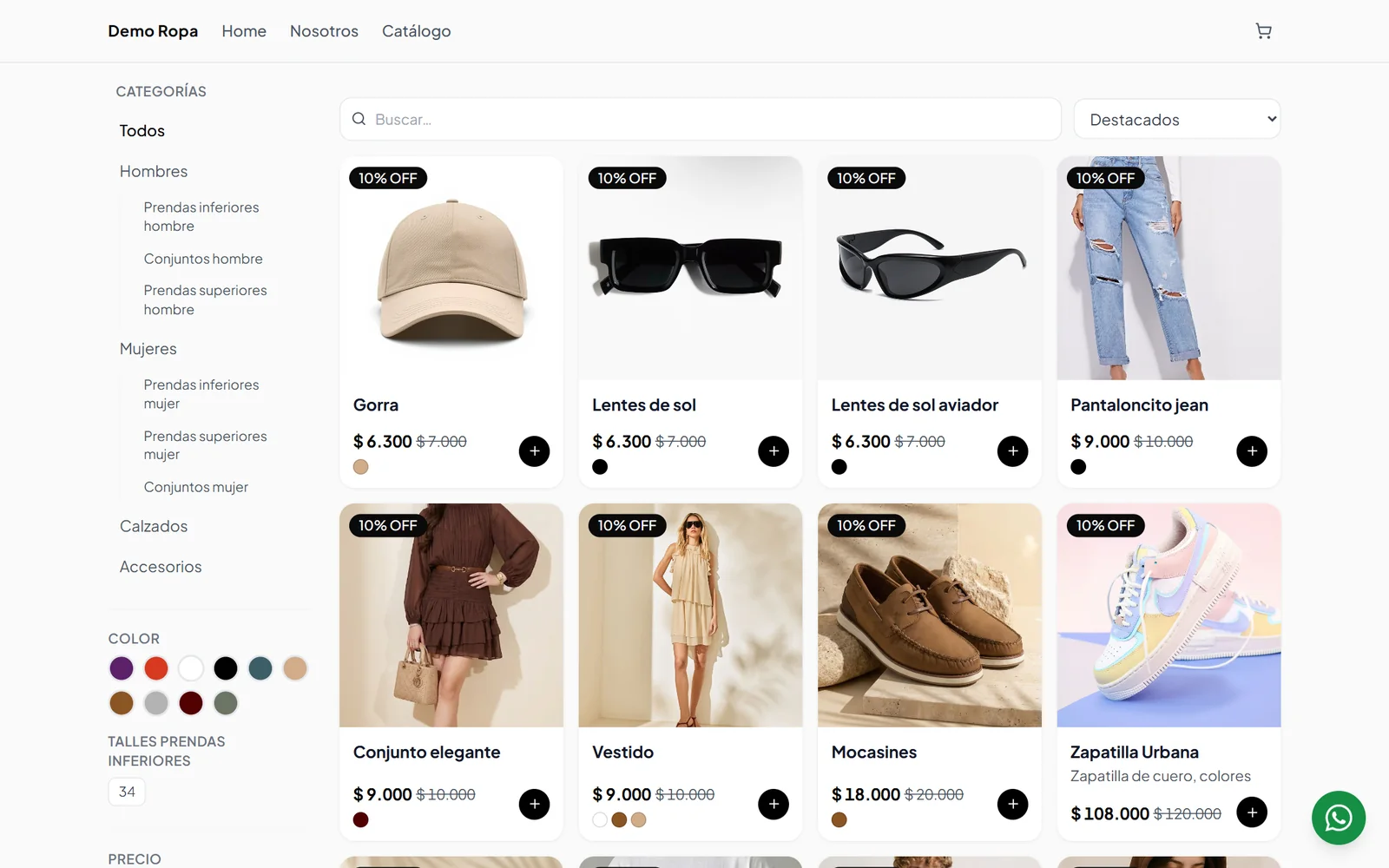
Clothing online catalog with categories, color, size and price filters, and discounted products
Your business management · Orders Area
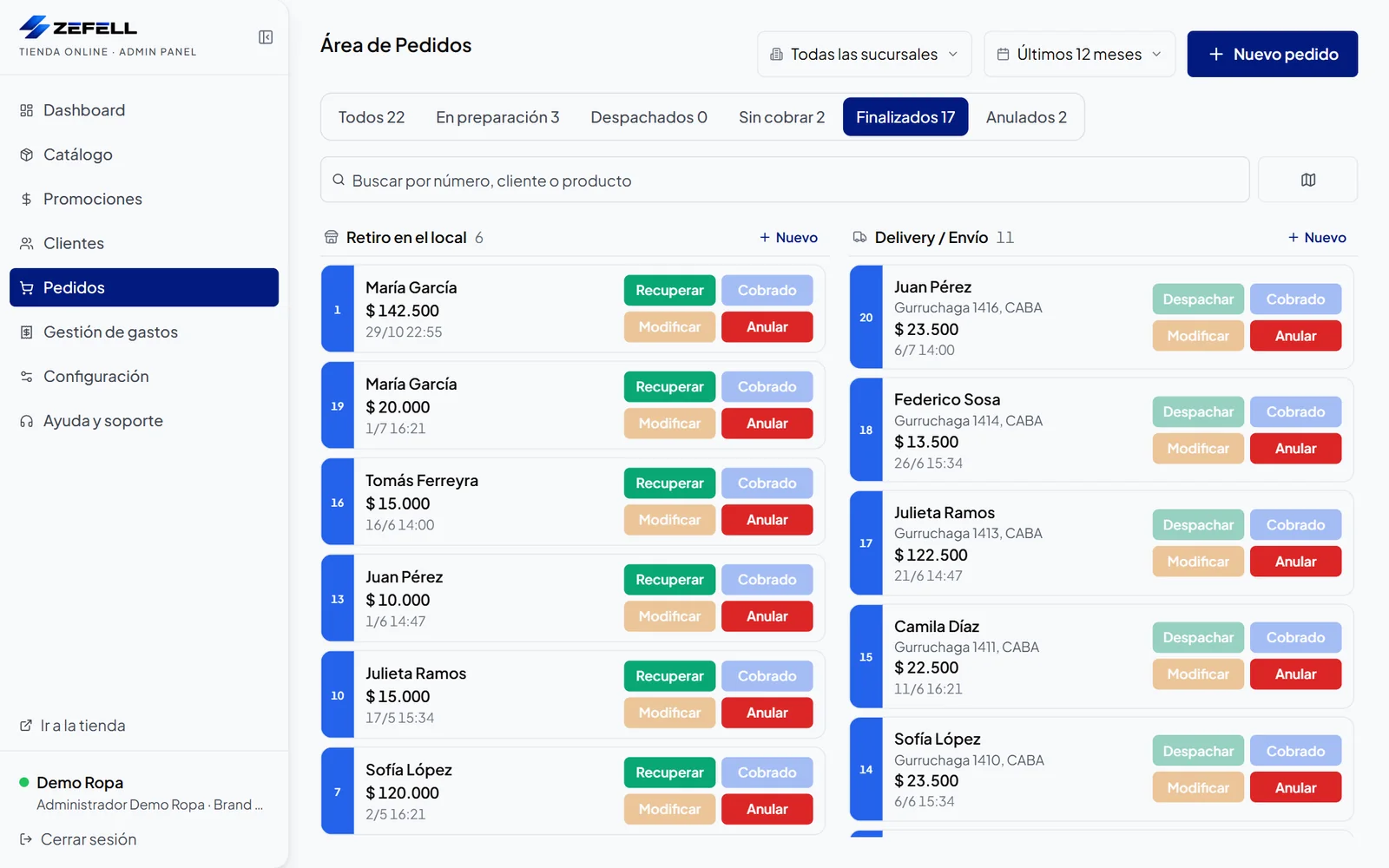
Orders Area with completed orders split into in-store pickup and delivery

Main benefits

Four pieces that work together.

01

A centralized catalog

Photos, prices, variants and stock in one place.

Panel · Catalog
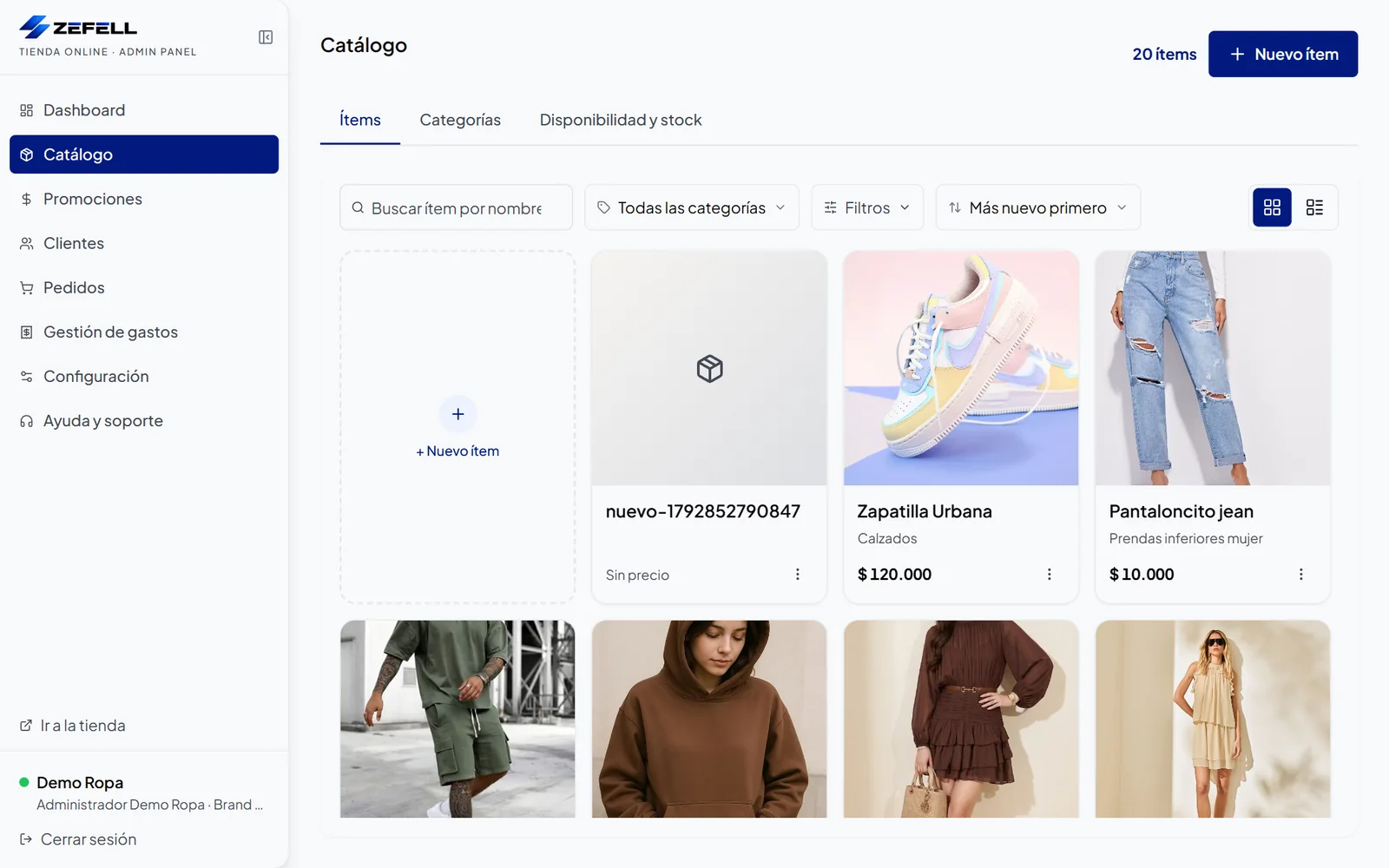
Internal catalog in the Zeftienda panel with product photos, categories and prices, a search box and filters
02

Your own online store

Product pages and categories for shopping on any device.

Demo Ropa · Catalog
Clothing online catalog with categories, color, size and price filters, and discounted products
03

Organized orders

Orders by fulfillment method and status to organize the work.

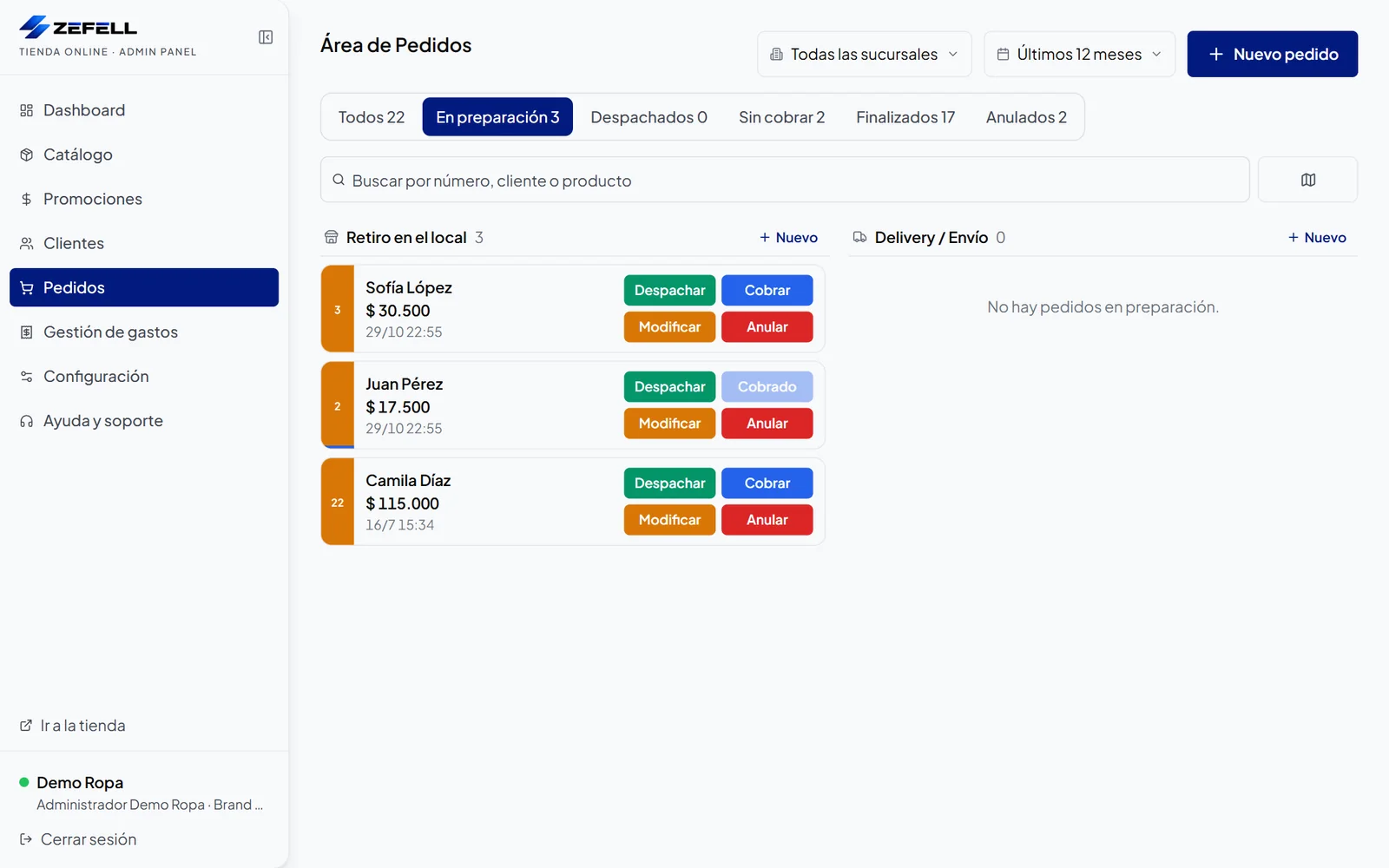
Panel · Orders in preparation
Orders Area in the In preparation section, with actions to dispatch, charge, edit or cancel each order
04

Sales information

Sales, customers and products to understand your business.

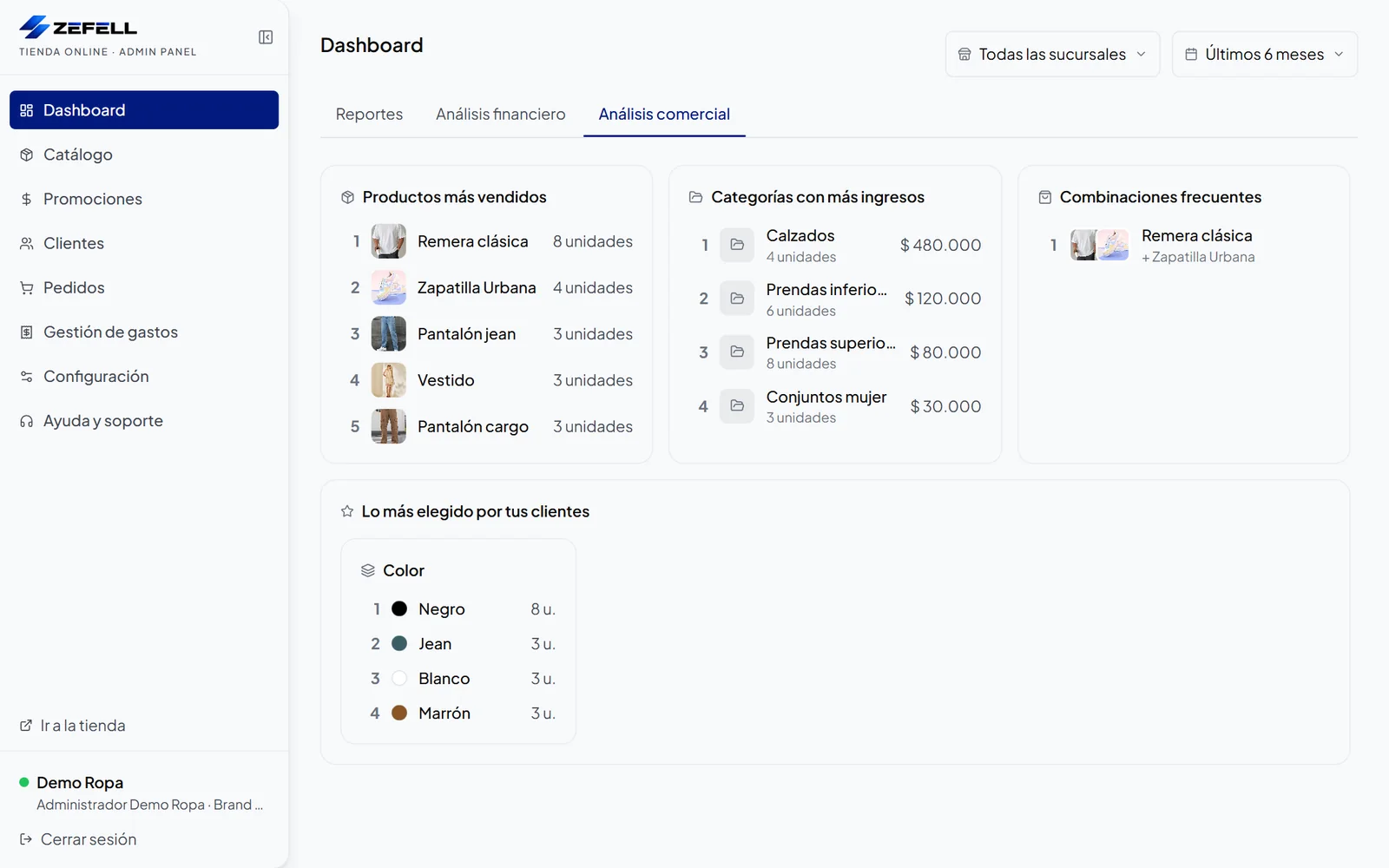
Panel · Commercial analysis
Commercial analysis dashboard with best-selling products, top-revenue categories, frequent combinations and most chosen sizes and colors
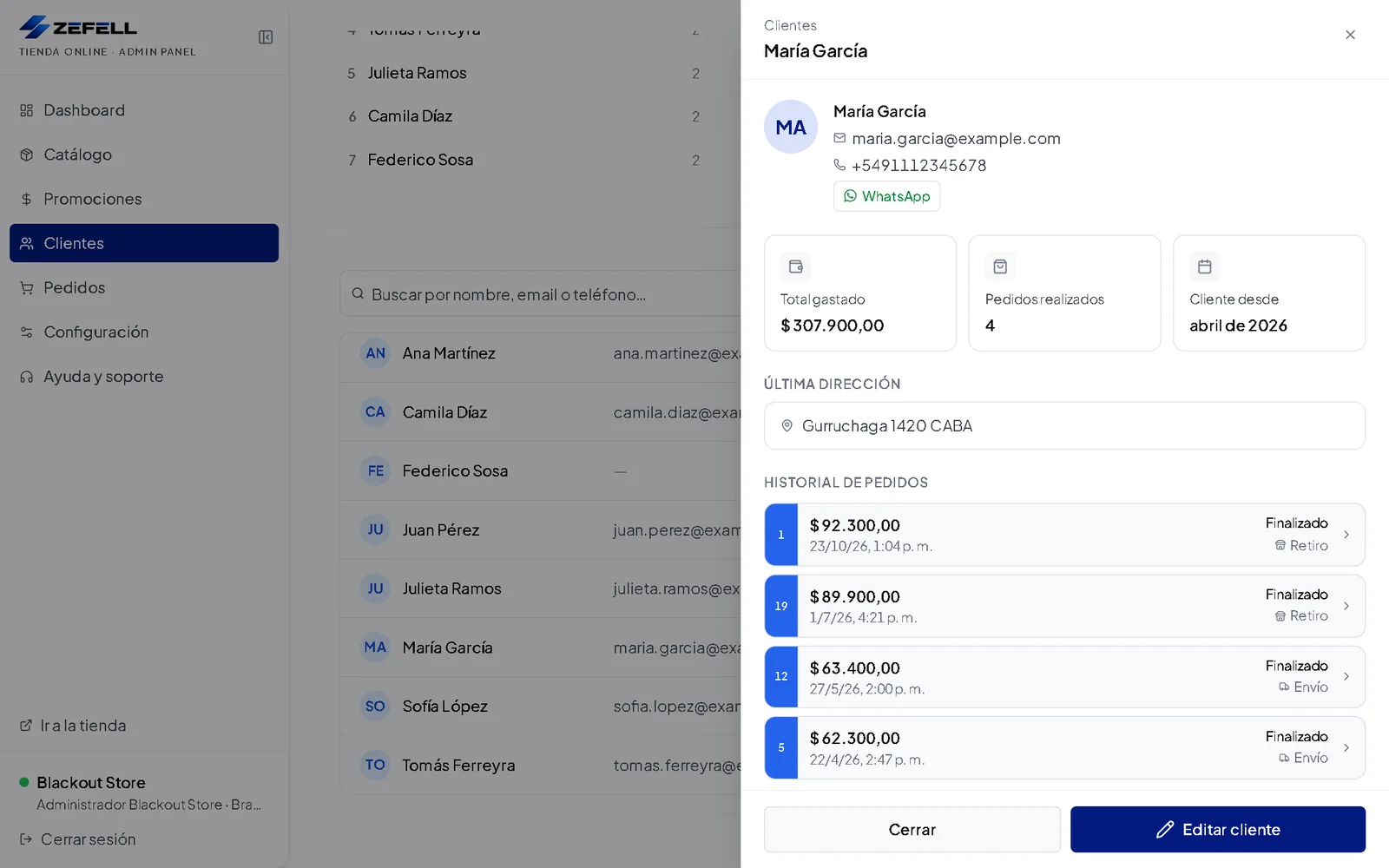
  • Panel · Customer profile
    Customer profile with contact details, total spent, number of orders, last address and order history

    Customer profile

    See each customer’s details, purchases and history.

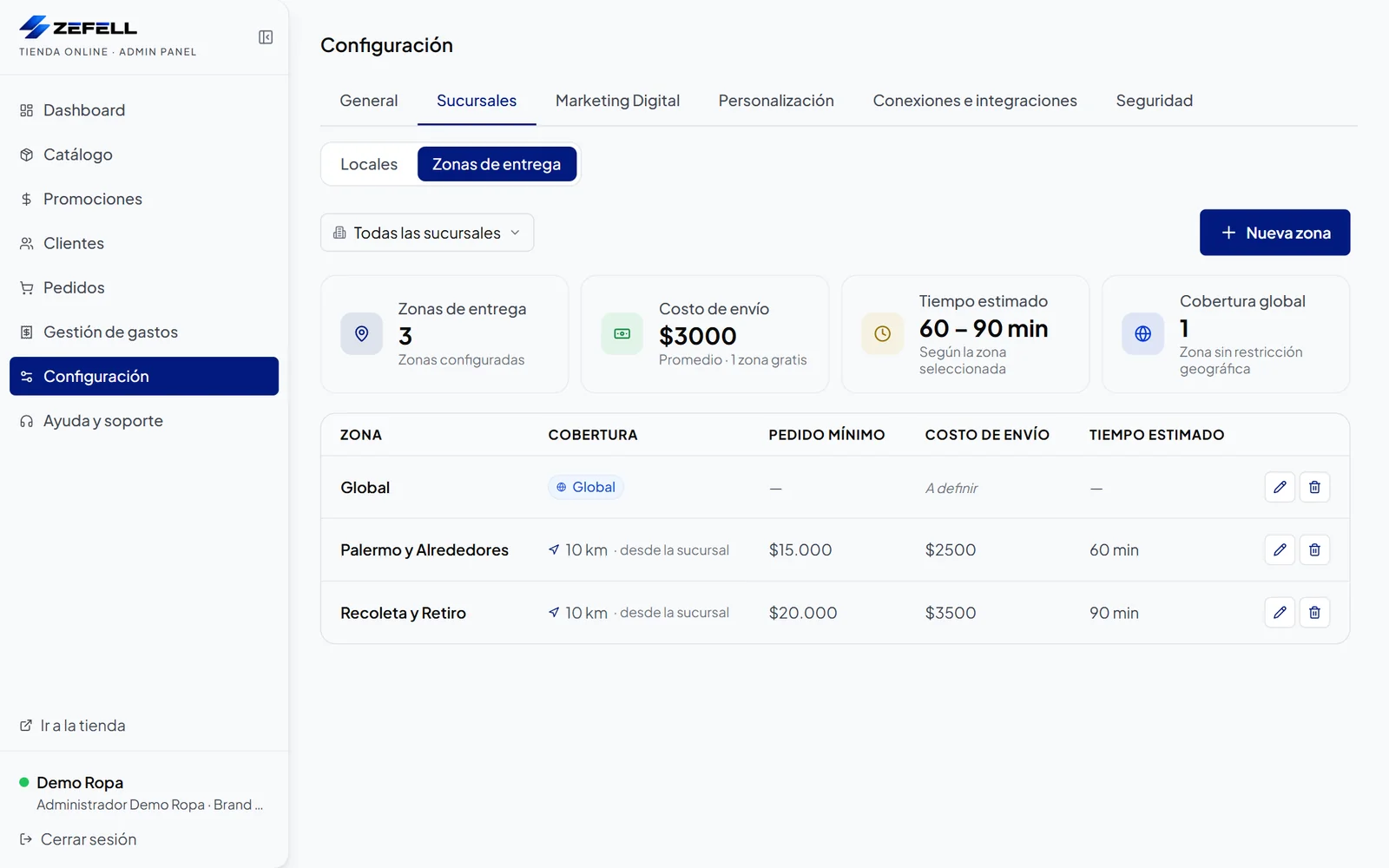
  • Panel · Delivery zones
    Delivery zone settings for a branch with minimum order, delivery fee and estimated time

    Delivery zones

    Set fees, minimum orders and times for each zone.

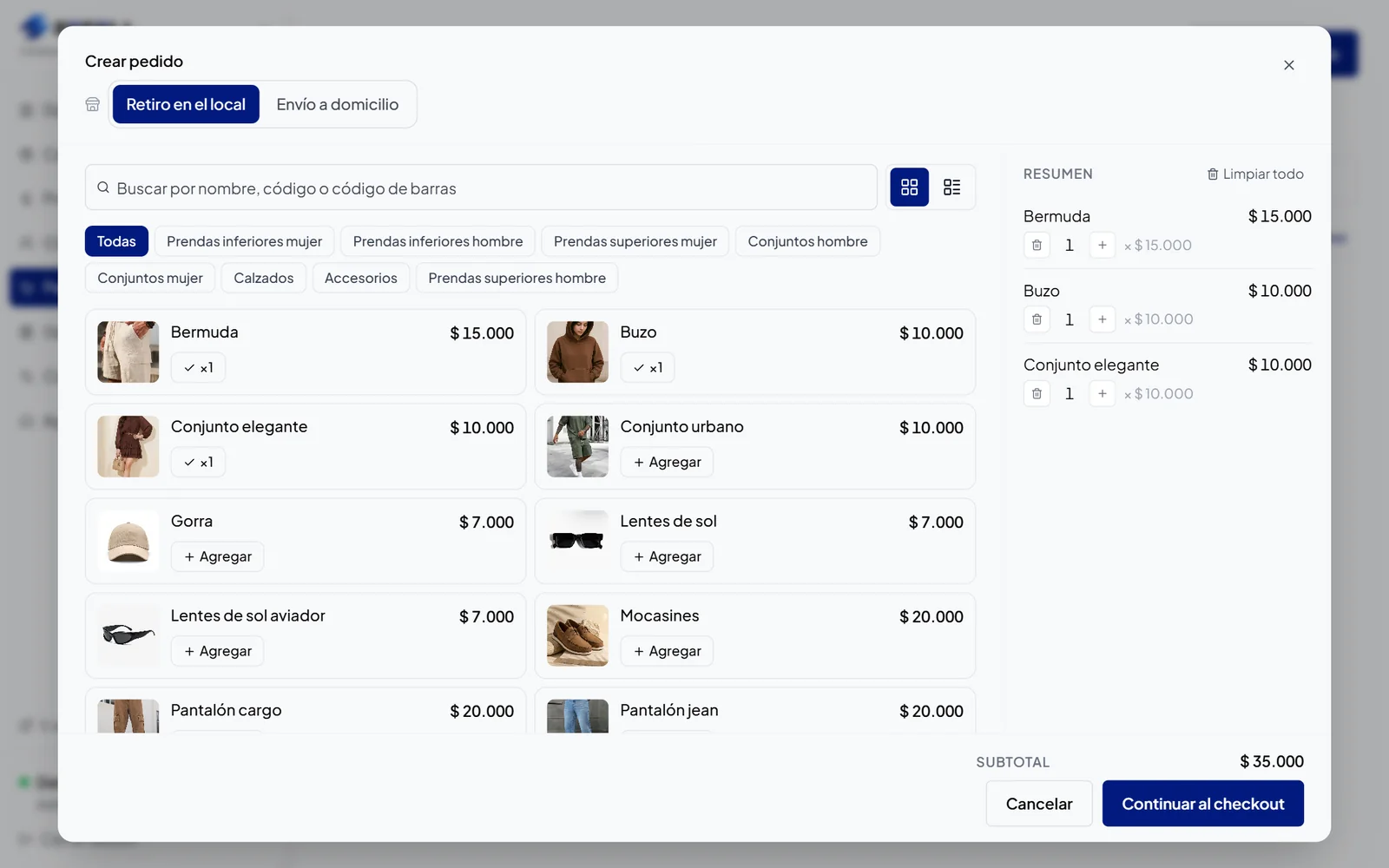
  • Panel · New order
    Screen for creating an order from the panel with products, the variants added and the subtotal

    New order

    Enter in-person or phone sales with the same catalog.

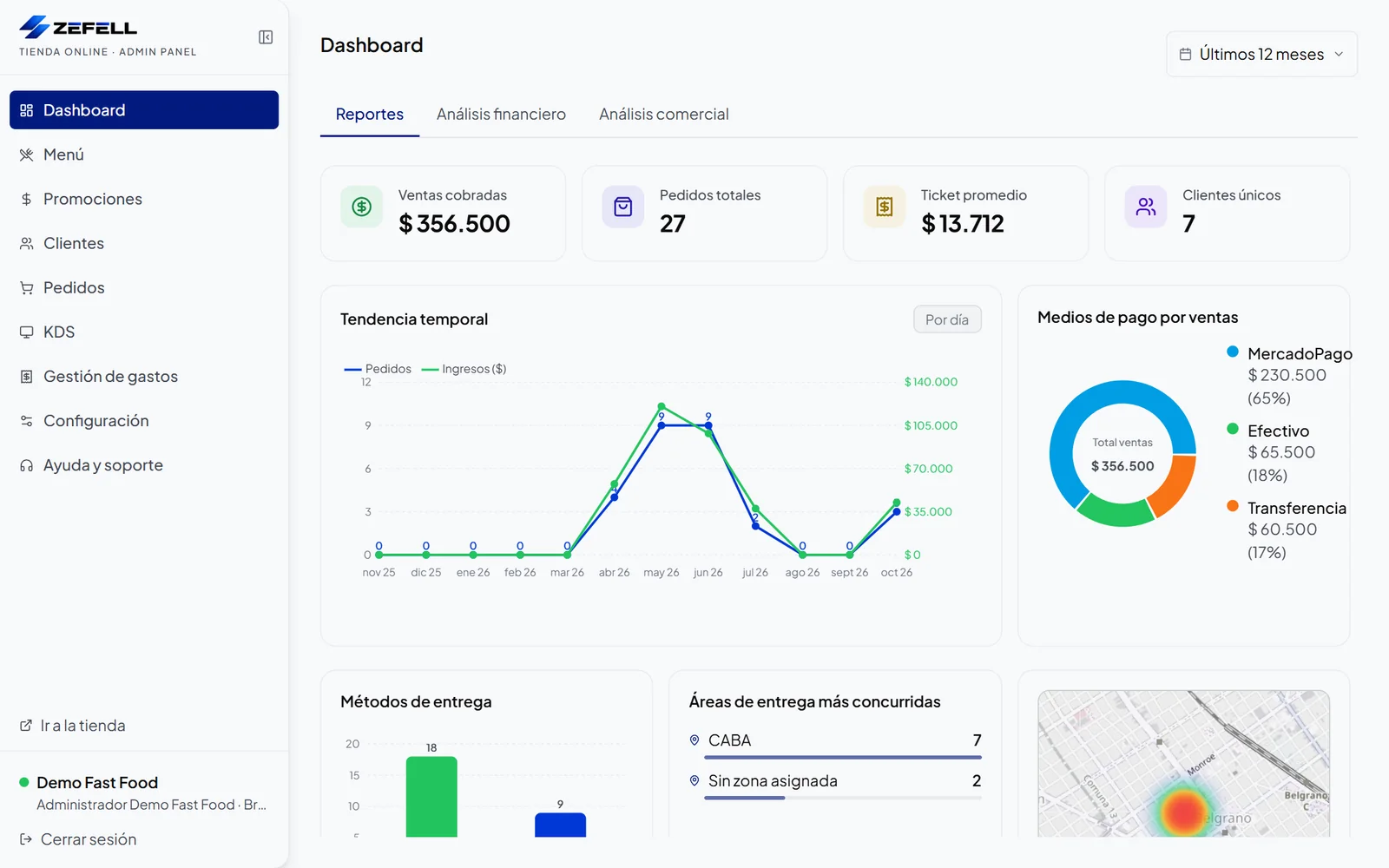
  • Panel · Reports
    Reports dashboard for the last 12 months with collected sales, orders, average ticket, trend over time and payment methods

    Sales reports

    Track collected sales, orders, average ticket and payment methods.

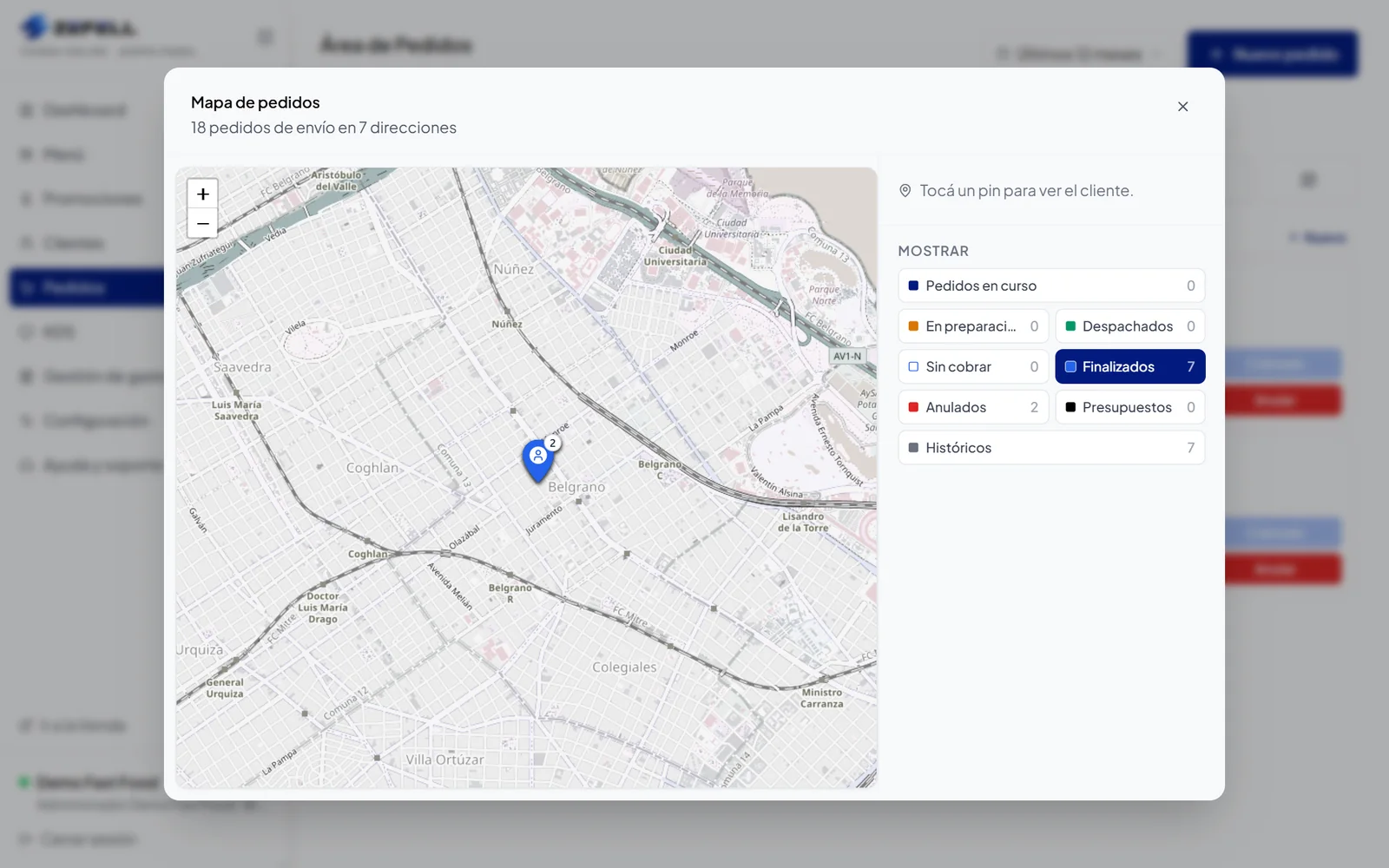
  • Panel · Order map
    Map of delivery orders showing the delivery addresses and filters by order status

    Order map

    See where your delivery orders are going.

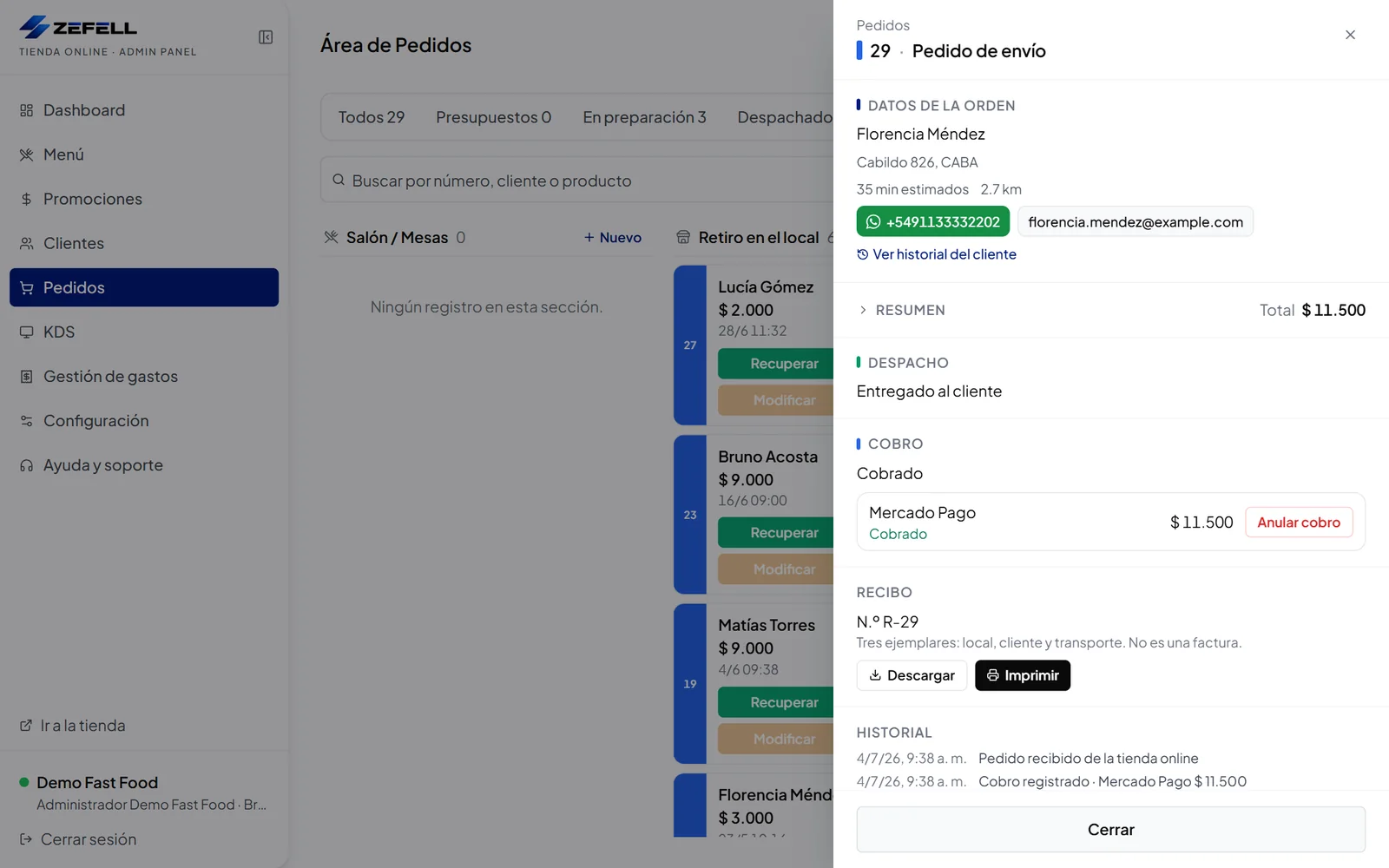
  • Panel · Order with receipt
    Delivery order detail with dispatch, recorded payment and a numbered internal receipt to download or print

    Orders with receipts

    Generate internal receipts linked to each order.

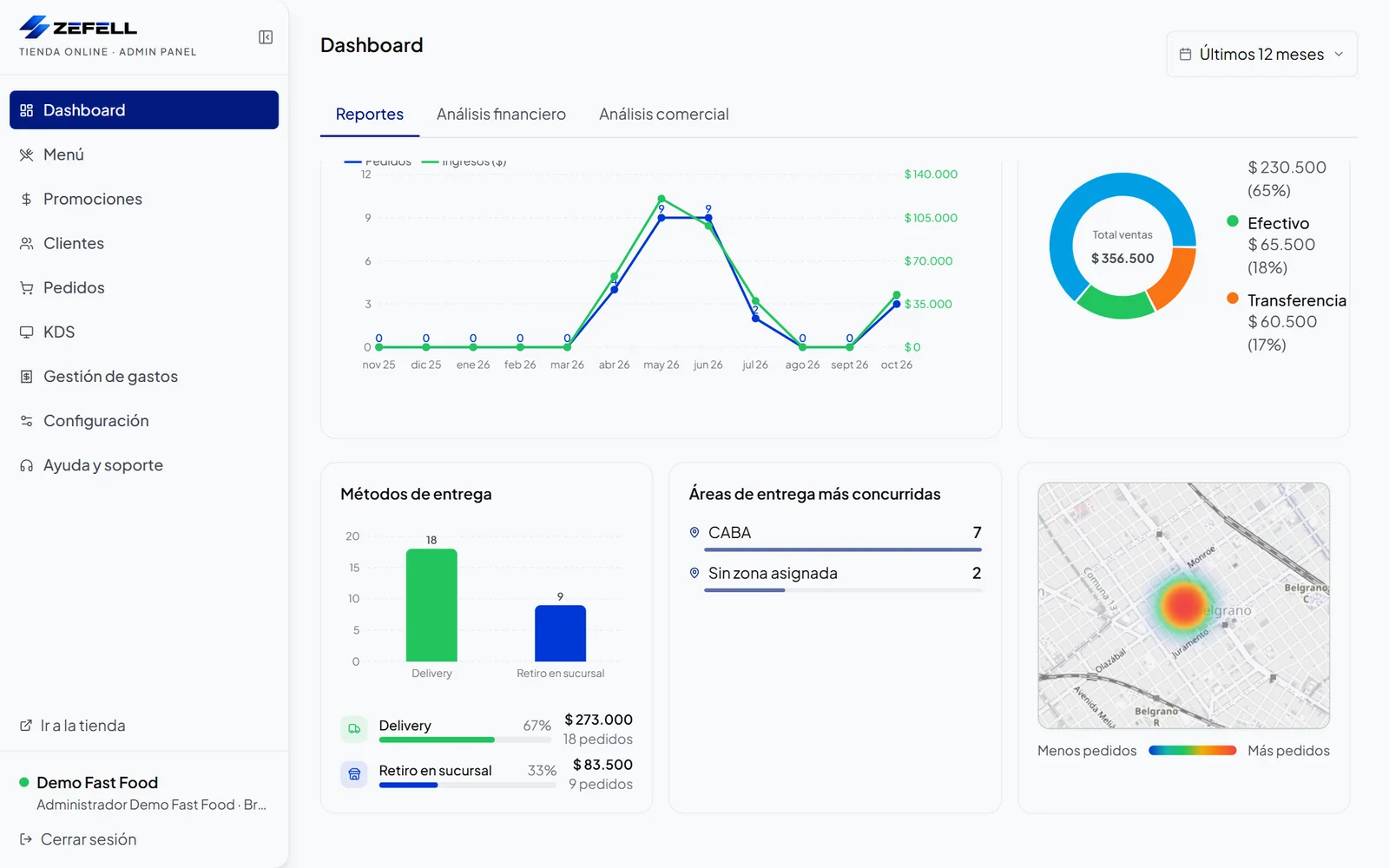
  • Panel · Heat map
    Dashboard with delivery methods, busiest delivery areas and a heat map of deliveries

    Heat map

    Spot the areas with the highest concentration of deliveries.

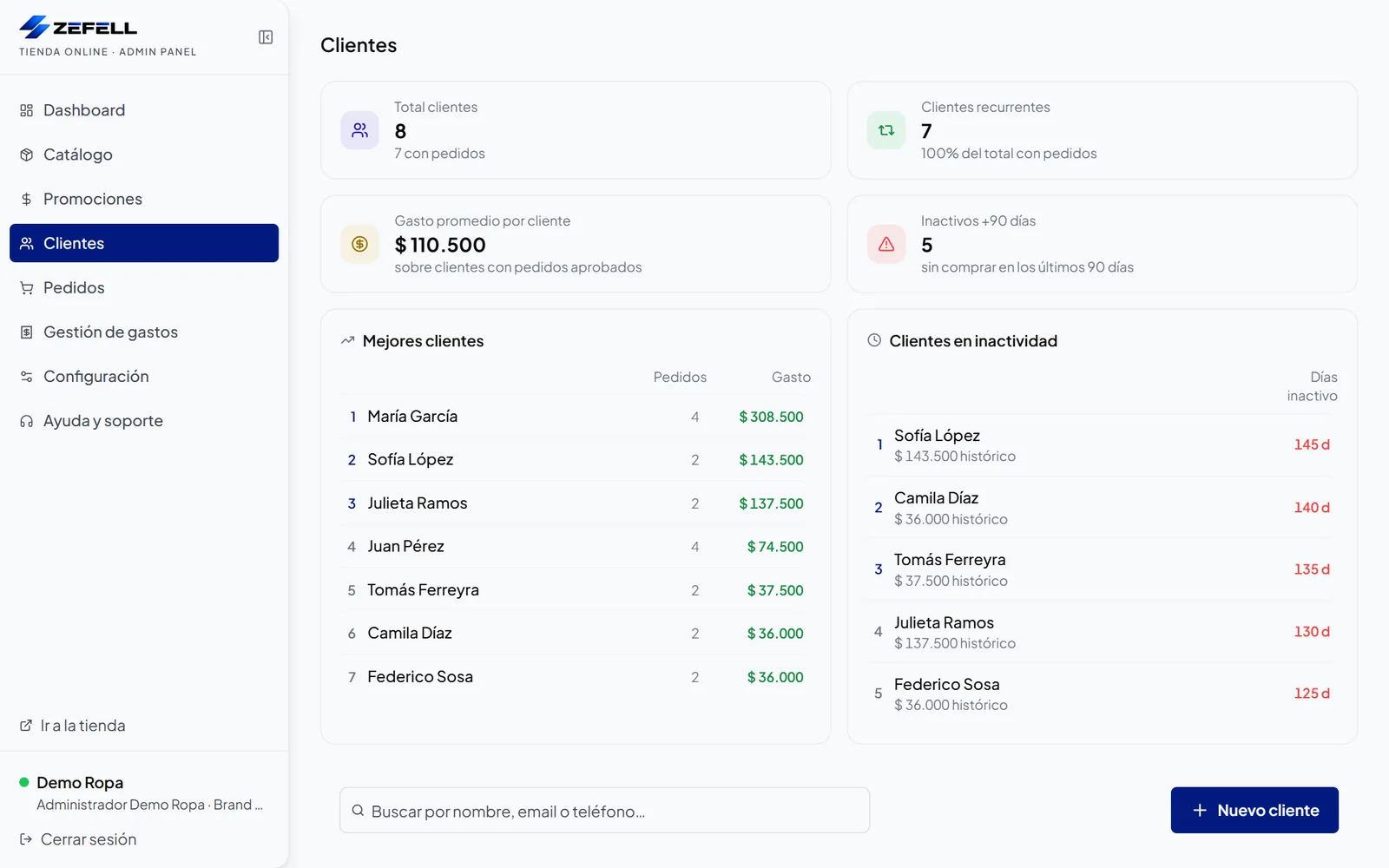
  • Panel · Customers
    Customers screen with total customers, returning customers, average spend, customers inactive for over 90 days, best customers and inactive customers

    Returning customers

    Spot your best customers and who stopped buying.

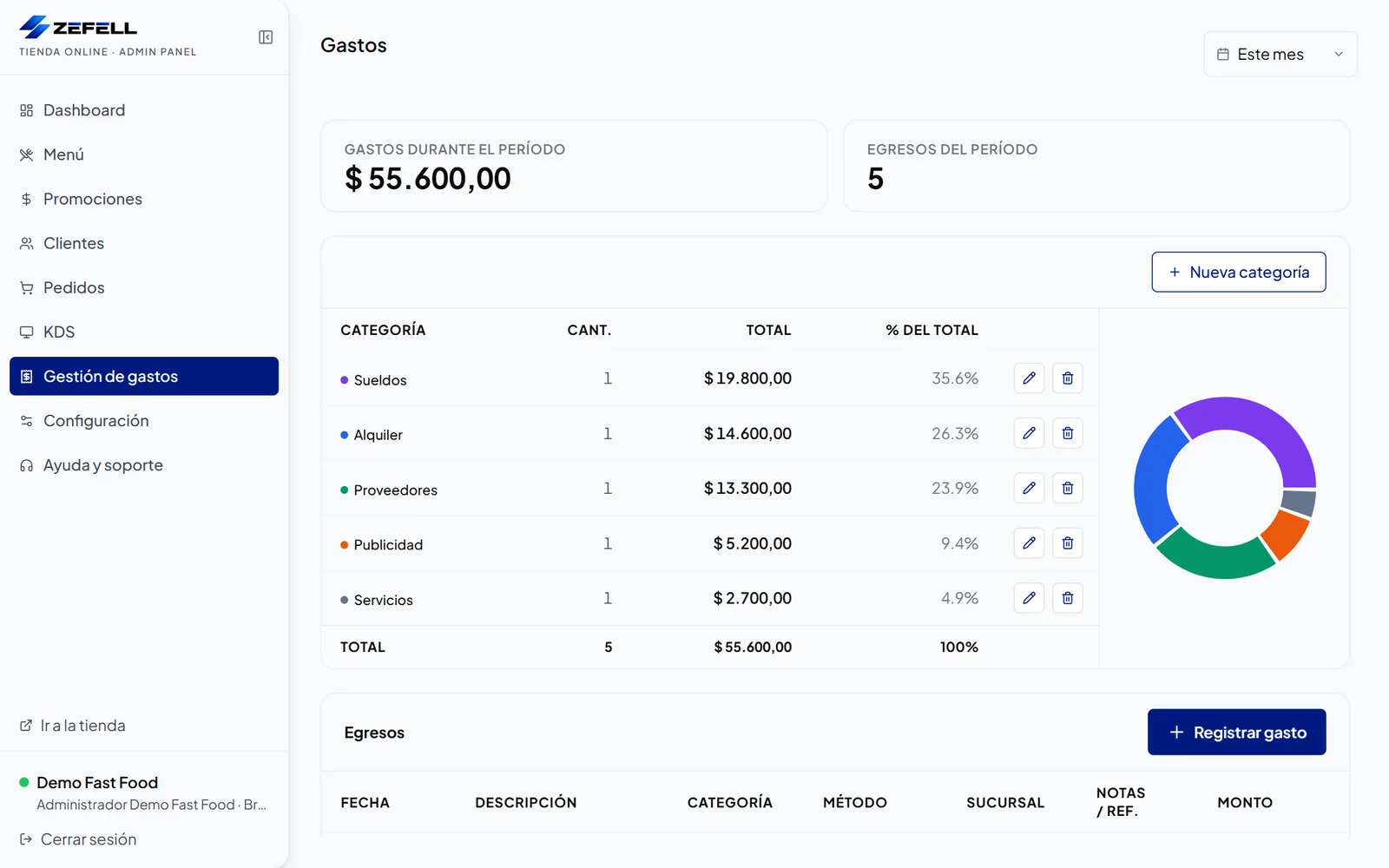
  • Panel · Expense management
    Expense management with the period total, expenses by category and a distribution chart

    Expense management

    Record and review your business expenses.

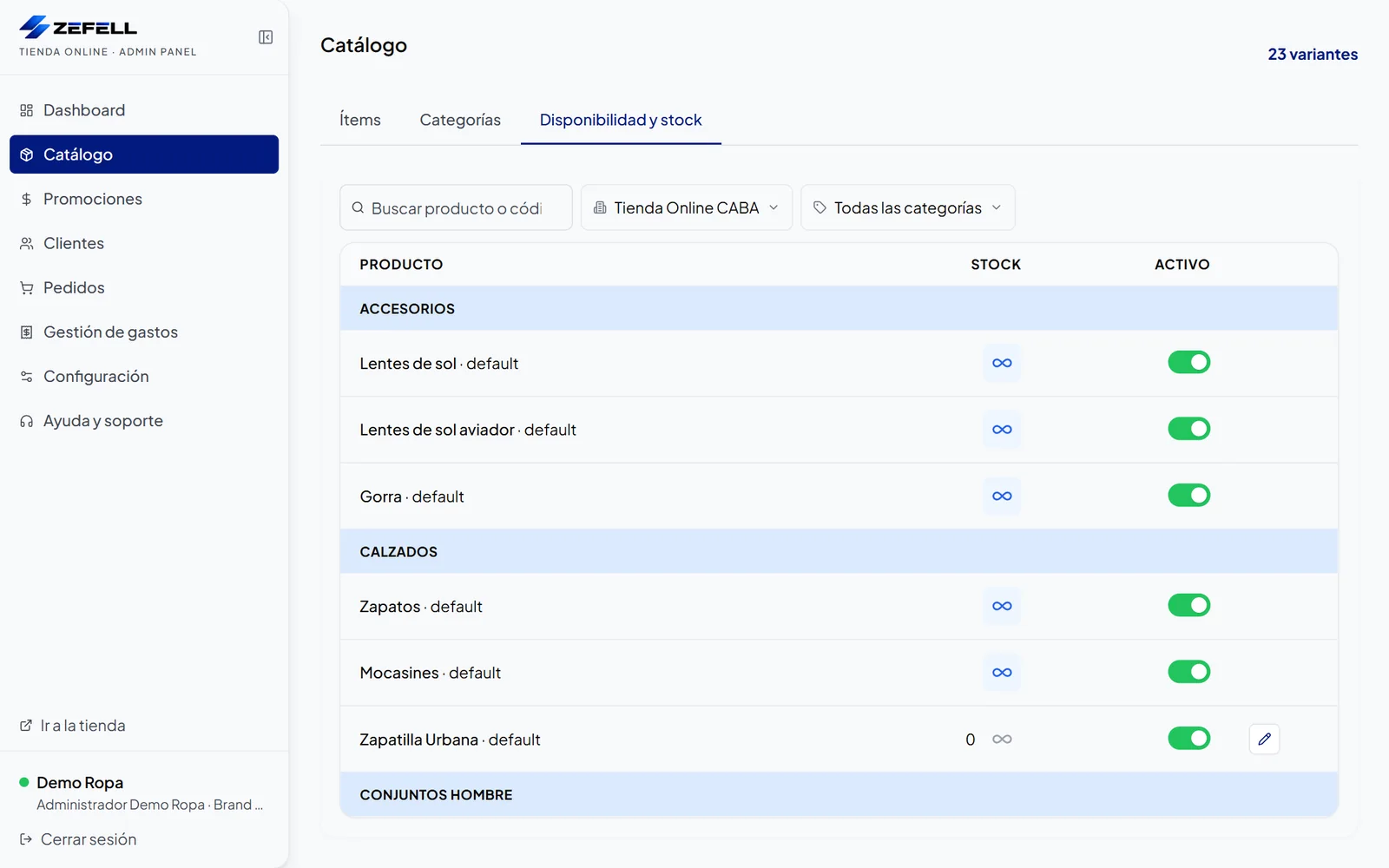
  • Panel · Availability and stock
    Stock screen for a branch with quantity per variant and SKU, the sell-without-stock option and active variants

    Stock by branch

    Control inventory by location and variant.

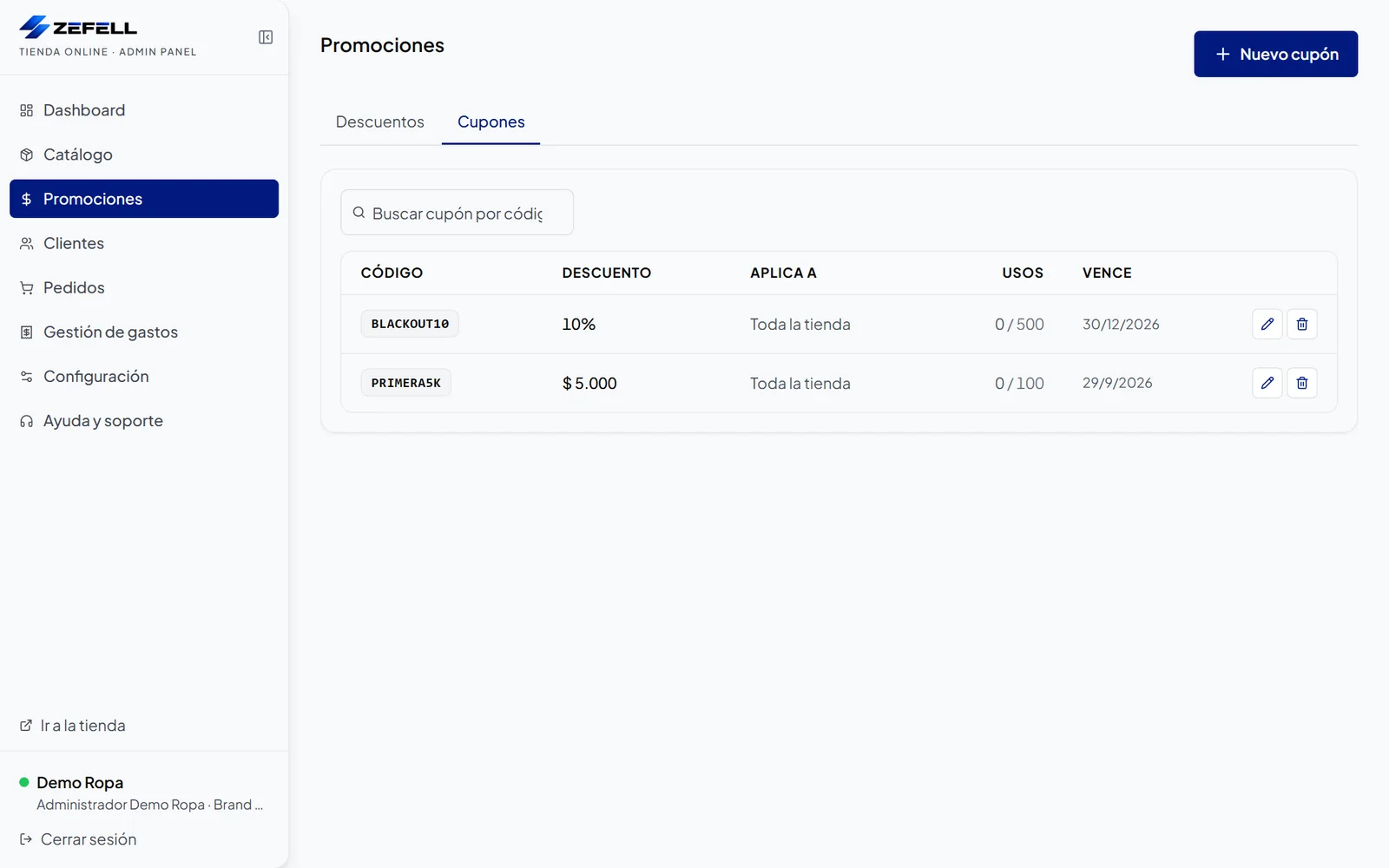
  • Panel · Promotions
    List of coupons with code, discount, scope, uses against the limit and expiry date

    Promotions and coupons

    Set up discounts, conditions and usage limits.

  • Panel · Commercial analysis
    Commercial analysis dashboard with best-selling products, top-revenue categories, frequent combinations and most chosen sizes and colors

    Sales analysis

    Find your best sellers, top categories and frequent combinations.

1 of 12

What Zeftienda looks like

What your customer sees

To shop from a computer or a phone.

Demo Ropa · Catalog
Clothing online catalog with categories, color, size and price filters, and discounted products

Catalog with filters

Categories, colors, sizes and prices to find things fast.

Built for phones

The same product page, adapted to the phone.

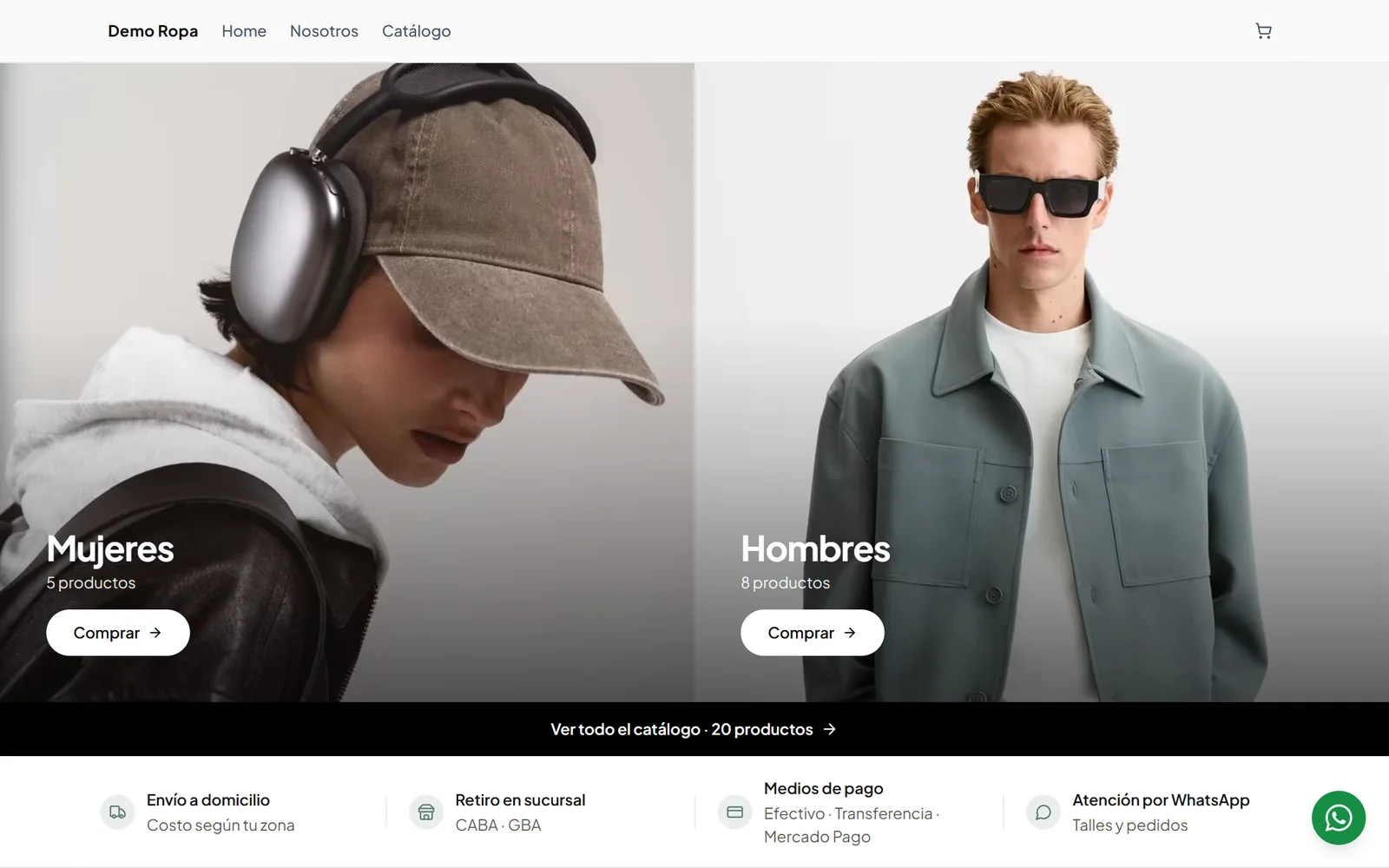
Demo Ropa · Home
Home page of a clothing online store with featured women’s and men’s categories, a link to the catalog and delivery, pickup and payment details

A home page in your brand’s style

Customize your store and add pages in the style that best represents you.

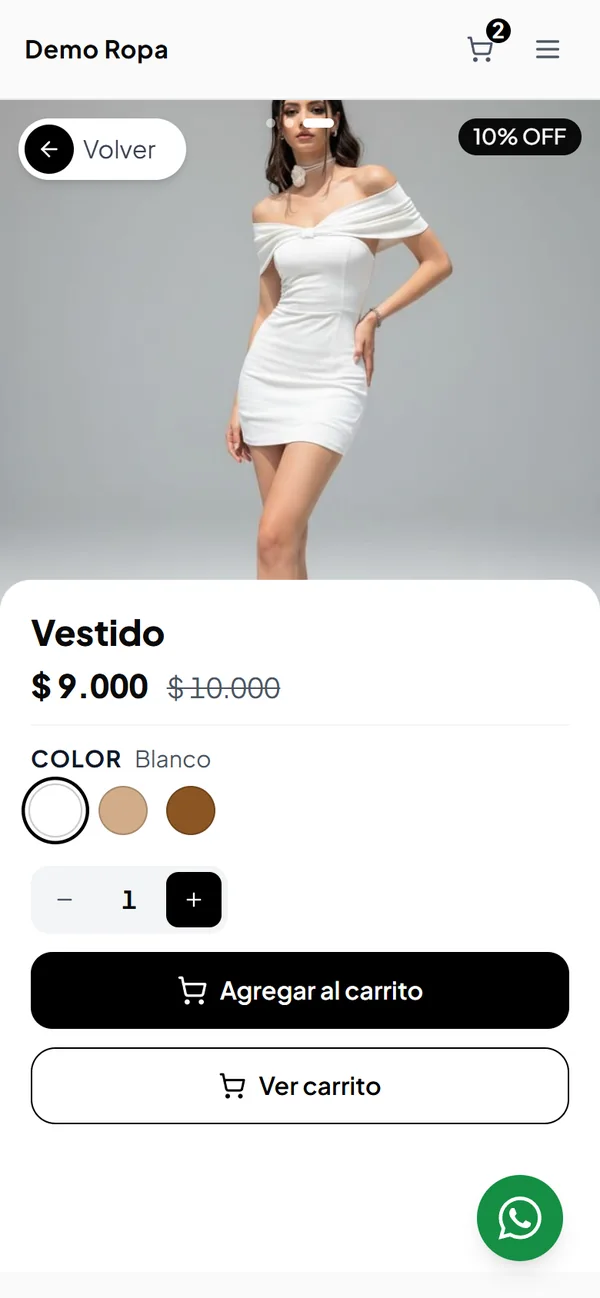
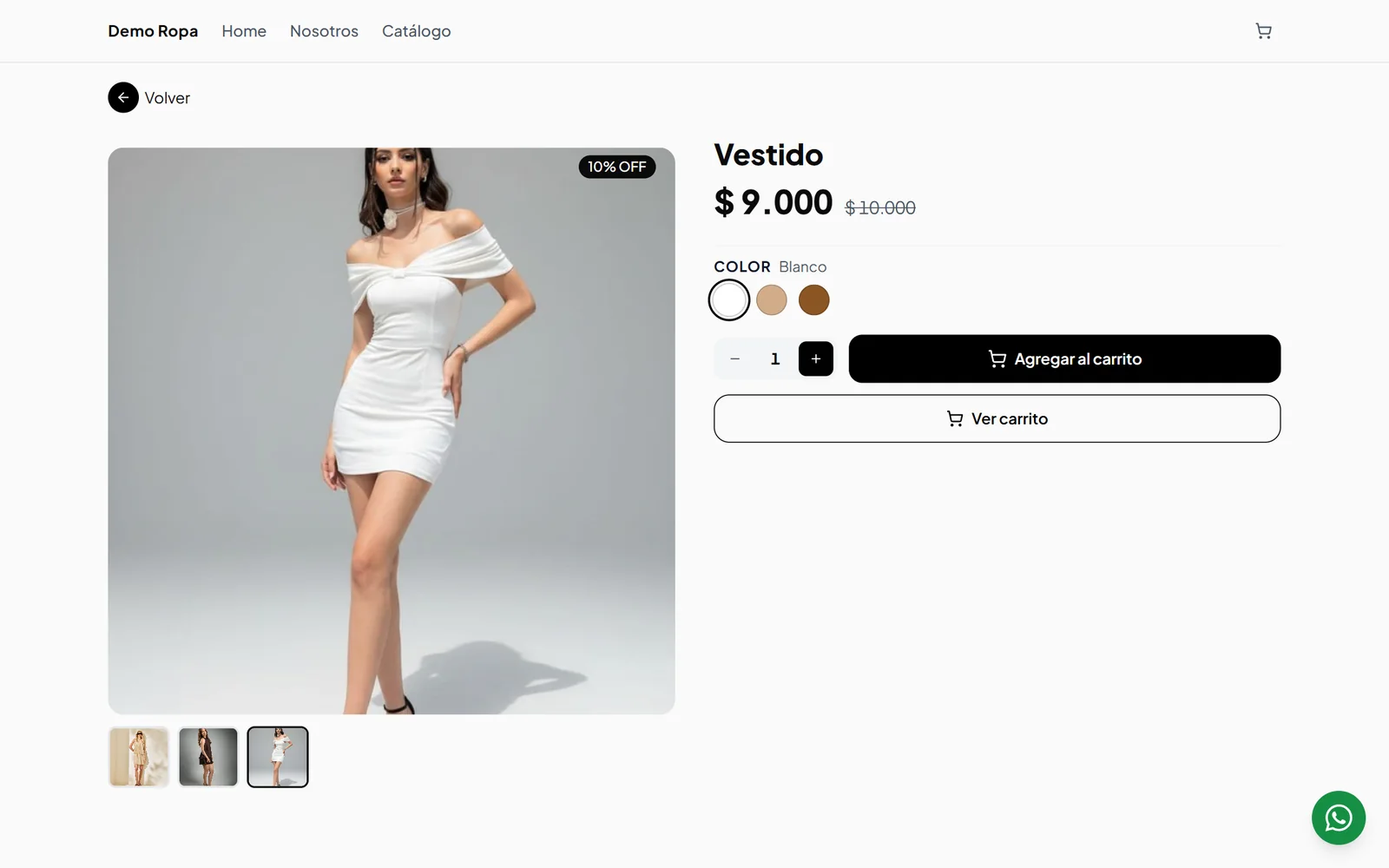
Demo Ropa · Product page
Clothing product page with color selection, discounted price and an add-to-cart button

Product page with variants

They pick the color and see the price, discounted if there’s a promotion.

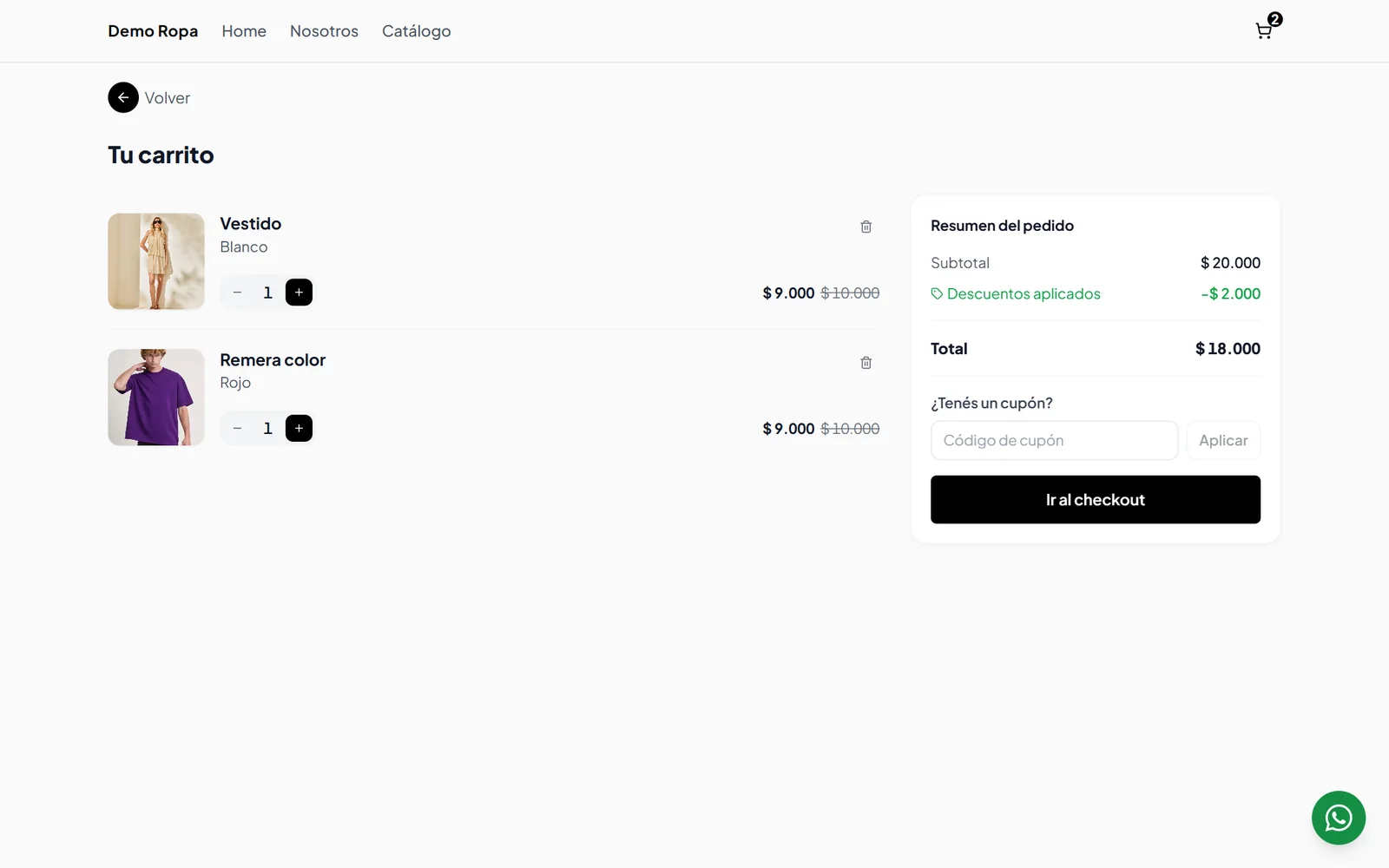
Demo Ropa · Cart
Shopping cart of a clothing store with two products, applied discounts and a coupon field

Cart with coupon

They adjust quantities and apply coupons created in Promotions.

How to start

We support you from setup to everyday use.

  1. 01

    Assessment and setup

    We define the scope of your implementation.

  2. 02

    Catalog loading

    We prepare your products and variants.

  3. 03

    Store launch

    We launch your store and set up the domain.

  4. 04

    Daily management

    You manage products and orders from the panel.

Request your free demo

We’ll show you how it adapts to the way you work.

Sell online with no commission per sale.

More capabilities

What comes in as your business grows.

  • Variants, sizes, colors and SKUs

    Each combination with its own code and stock.

  • Barcodes

    Identify each product and variant by its barcode.

  • Stock per branch

    Per variant and per store, with the option to sell without stock.

  • Customer and order history

    Returning, inactive for over 90 days and each one’s history.

  • Expenses and sales reports

    Sales, payment methods and best sellers; expenses for the financial analysis.

    Depends on setup
  • Roles and permissions

    Owner, manager and employee, each with their own access.

  • Delivery zones and promotions

    Fee, minimum and time per zone; coupons with usage limits and expiry dates.

  • Counter orders and quotes

    In-person or phone sales and quotes that turn into orders.

    Enabled per business
  • WhatsApp Business

    Integrated with the store, orders and each customer profile.

  • Data import and migration

    Bring your catalog from Excel, CSV or another platform.

Integrations and connections

Connect your business with the tools you need.

Zeftienda integrates with ARCA, Mercado Libre, WhatsApp Business and the analytics tools you already use. Each integration is set up for your business during implementation.

Ask us about the integration you need.

Message us on WhatsApp
  • ARCA

    Issue electronic invoices from Zeftienda.

  • Mercado Pago

    Record Mercado Pago link or QR payments on each order.

  • Mercado Libre

    Connect your catalog and your sales with Mercado Libre.

  • WhatsApp Business

    Conversations with your customers from the store, each order and each profile.

  • Google Analytics and Meta Pixel

    Configured for each business.

Frequently asked questions.

Everything you need to know before you start.

For businesses that want catalog, online store and orders in one system. It’s especially prepared for fashion, accessories and retail. For restaurants, we check in the demo whether it fits your venue.

Yes. The store is published on your domain, set up by the Zefell team.

Yes: stock, delivery zones and filters per branch. New branches are added by the Zefell team.

Yes. There are three roles: owner (the whole business), branch manager (their store, including the catalog) and employee (their store, without catalog or prices).

In a board split by pickup and delivery, with sections by status: quotes, in preparation, dispatched, unpaid, completed and cancelled. Each order shows customer, products, payment, receipt and history.

Yes, with “New order”: add products, identify the customer and apply discounts or surcharges. Enabled per business. You can also save quotes and turn them into orders.

From the panel, with photos, prices, variants and SKUs, or by importing it from Excel or CSV. If you come from another platform, Zefell’s team migrates your data.

Yes. Zeftienda issues electronic invoices through ARCA.

Yes. Zeftienda integrates with Mercado Libre to connect your catalog and your sales.

Yes. Your customers message you from the store and you reply from each order or their profile, with WhatsApp Business.

Yes. We import your catalog from Excel or CSV and migrate your data from another platform or system during implementation, so you don’t start from scratch.

It starts with a demo and an assessment. Then we set it up, prepare the catalog, launch the store and support you. Timelines depend on the scope.

Free demo

See how Zeftienda would work in your business.
Show us what you sell and how you work. We’ll show you how Zeftienda adapts to your business.

WhatsApp